


Your Website Is Down. Now What?
Over the last couple of weeks, we’ve been writing the same kind of email to a lot of clients.
A site that worked fine yesterday isn’t loading. A gallery has vanished. A form won’t send. Nobody touched anything.
If that’s happened to you and you have a WordPress site, here’s why it’s likely happening:
A Website Isn’t ‘One’ Thing
Most people think of a website as a single piece of software. It’s really several pieces working together: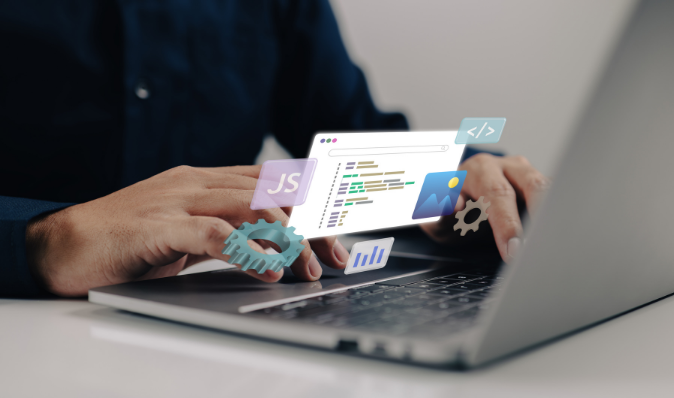
• WordPress core, the foundation everything is built on
• Your theme, which controls how the site looks
• Plugins, small snippets of code that add things like galleries, sliding images, and forms
• Hosting, the server your site lives on
• PHP, the language running underneath it all
When every piece is current and compatible, you never think about any of this. When one piece falls behind, the whole thing can stop working.
Why Older Sites Are Getting Hit
WordPress updates itself automatically. On a newer site, that’s usually fine, because the plugins and theme were built recently and keep up with the changes.
On an older site, it’s a different story. The plugins may have been written years ago. When WordPress updates and a plugin can’t keep up, the plugin fails. And since plugins are what make up a lot of the visible site, a failing plugin can take the page down with it.
Sometimes the update itself is fine and the environment isn’t. A new plugin version might need a newer version of PHP than your server runs. Or it might assume a server setting your host hasn’t turned on. On shared hosting, updates can also time out halfway through, especially on sites with lots of plugins. Half an update is often worse than none.
The Theme Matters Too
There’s another piece, and it’s the one people overlook.
Ready-made themes tend to break more often than custom ones. If your site is running on an older, outdated theme, you may also notice it acting inconsistently, and that can show up as ups and downs in how Google ranks you.
No judgement on which you use – but it could be why your site is having more or less issues than another.
What To Do When Your Site Goes Down
Don’t panic, and don’t start clicking “update” on everything. That can make it worse.
• Reload and check on another device – Make sure it’s the site and not your connection.
• Note what you see – A blank page, an error message, or a missing section all tell us something. A screenshot helps.
• Call or email whoever built or hosts your site – Fast is better than perfect here.
• Hold off on changes – Don’t edit pages or install plugins until the problem is understood.
If you have a good backup, restoring it is often the quickest fix. If you don’t have one, that’s worth fixing today, whatever happens with this issue.
If your site has been down for a week, here’s what it does to your Google rankings:
The good news: A short outage, a few hours or even most of a day, usually isn’t a big deal. When a site is briefly unavailable, Google is generally built to come back and check again later.
The bad news: A week is a different story.
Google’s own Search Advocate, John Mueller, has said that when a site stays down for a couple of days or longer, Google may start treating those pages as gone and drop them from its index. Pages that aren’t in the index can’t show up in search at all. For a business that gets calls from Google, that means the phone can go quiet, and you may not connect it to the website until later.
[Source: Search Engine Journal’s report on Google’s John Mueller’s comments]
Here’s what I’d want you to know:
- Rankings can drop, and sometimes the pages disappear. The longer the outage, the more pages Google may let go of.
- Coming back isn’t instant. Once your site is back up, Google has to recrawl it and decide what to do with those pages. Mueller has said to expect “really strong fluctuations” while that happens, and that it takes a little time to settle.
- Recovery usually happens, but it isn’t guaranteed. Most sites return to roughly where they were, but nobody can promise it, and an older site that was already shaky has less to fall back on.
- Customers notice faster than Google does. Anyone who clicks your listing and hits an error page may not try you again. That’s lost business on top of the ranking hit.
What you can do about it:
- Get the site back up first – Every extra day makes the recovery harder.
- Make sure it comes back as the same site – The same pages and web addresses matter, because Google is looking for what it indexed before.
- Check your Google Business Profile – It’s separate from your website, so it can keep you visible while the site is being fixed. Make sure your hours, phone number, and link are current.
- Watch your traffic and calls for a few weeks afterward – If numbers dip and don’t recover, that’s worth looking into rather than waiting on.
If you’re reading this with a site that’s already been down for days, call someone and get it moving. The sooner the site is back, the better your odds.
Your options
If your site is older and this has already happened once, it will likely happen again. Here’s how I think about the choices:
- Rebuild it as it is. We recreate your existing site on a custom-built theme with updated plugins. It looks the way it does now, but the foundation underneath is current and stable. This is the most direct fix.
- Redesign it. If you’ve been thinking the look is dated anyway, a rebuild is a natural time to refresh it. You get a stable foundation and a fresh design in one project.
- Leave it and fix it as needed. This is a real option, and some people choose it. The tradeoff is that each time an update breaks something, it needs attention, and that’s an ongoing cost in both money and stress.
I’m not going to tell you one is right for everyone. It depends on the site, your budget, and how much downtime you can live with. What I’d gently push back on is ignoring it and hoping.
Make It Part of Your Routine
The bigger lesson is that a website isn’t something you launch once and forget. It needs regular maintenance, the same way your car does. Updates, backups, and good hosting aren’t glamorous, but they’re what keep a site online while you do the work you actually went into business to do.
If your site is acting up, or it’s 10 years old and you’re nervous it might be next, reach out. I’ll take a look and tell you honestly what I see. Contact us.